Top 10 AI Video Generation Models in 2026: The Complete Ranked Guide
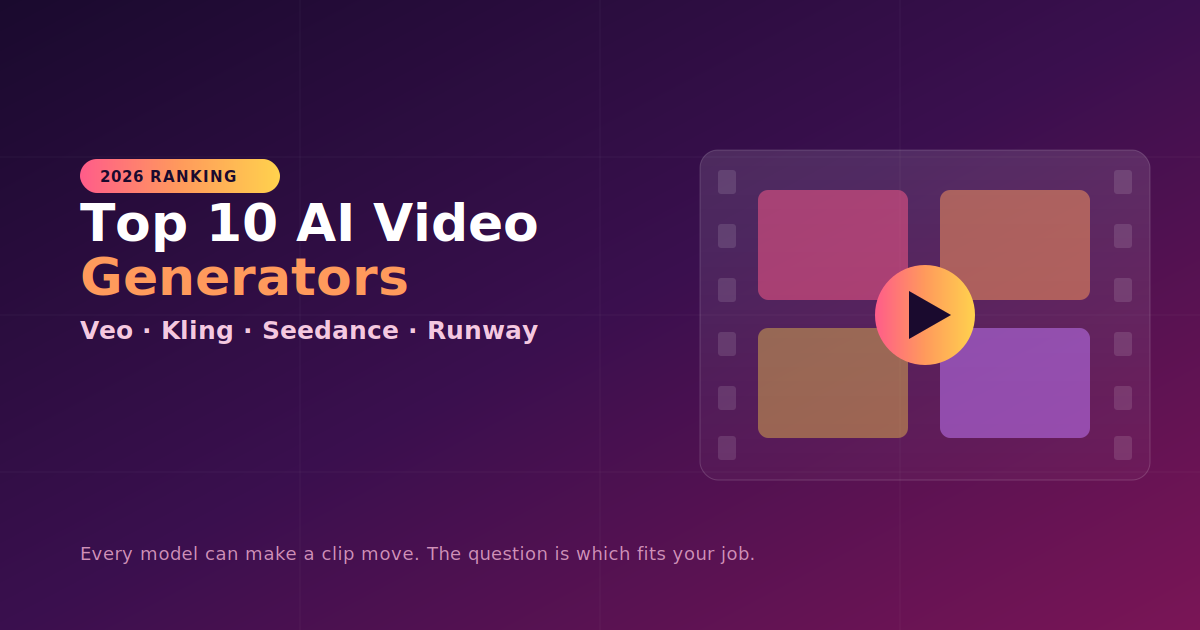
Two years ago, "AI video" meant flickering, melting, three-second clips that barely held together. In 2026 the question is no longer whether a model can make a clip move — every serious model now does native 1080p or 4K, and several generate synchronized audio. The real question has shifted: which model fits the job you're actually doing — a 6-second product ad, a vertical Reel, a lip-synced character scene, or a cinematic establishing shot?
The market has also fragmented into per-second API pricing, credit systems, and open-source weights, with the leaderboard reshuffling almost monthly. Here's an honest, research-backed ranking of the ten models that matter most right now.
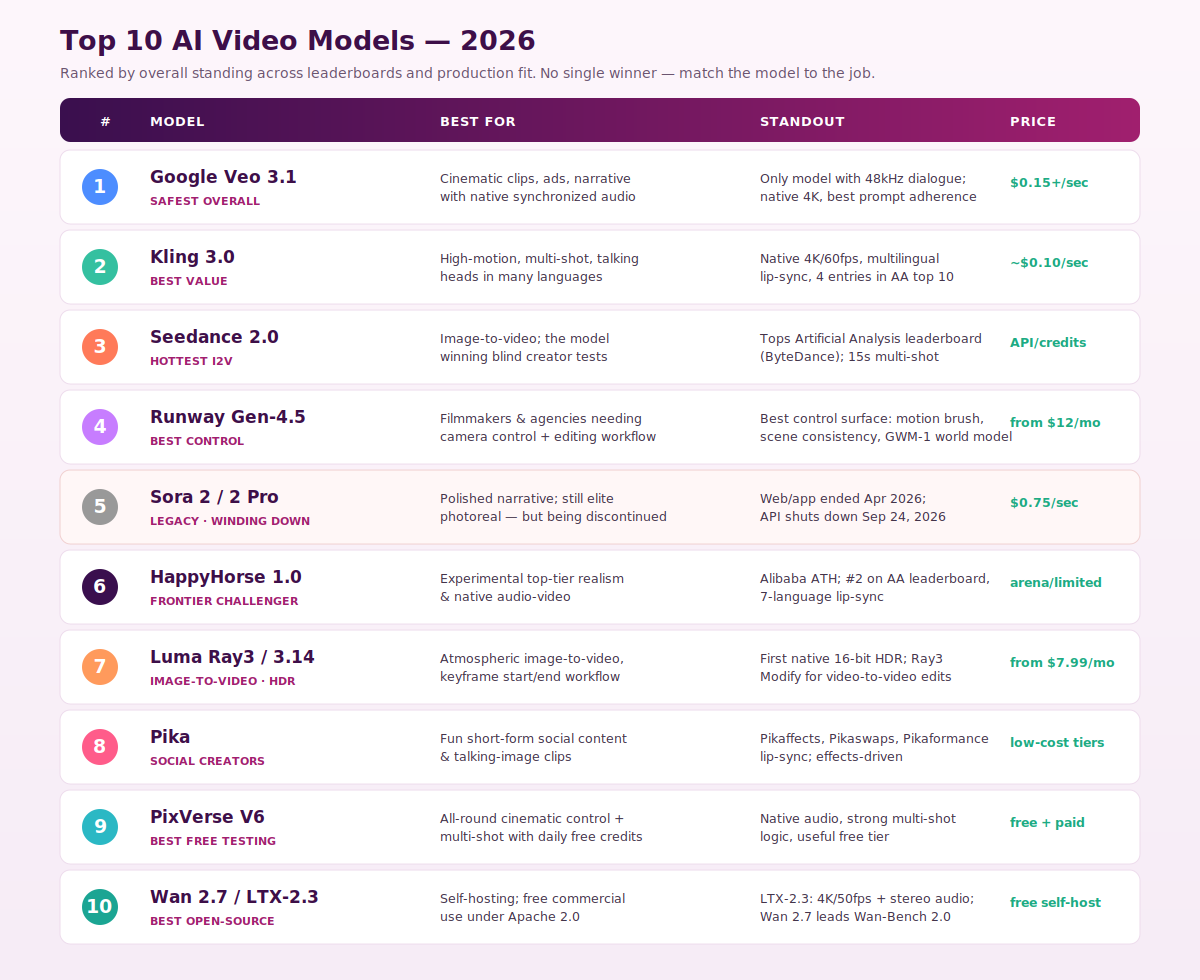
1. Google Veo 3.1 — The Safest Overall Choice
If you want one model that rarely lets you down, this is it. Veo 3.1 holds the strongest all-around position, leading on prompt adherence, native audio, and 4K output, and it's repeatedly named the safest default for cinematic, brand-safe, promptable video. Its real differentiator is sound: Veo 3.1 is the only model generating 48kHz synchronized dialogue, not just sound effects.
It ships in Lite, Fast, and Quality tiers, with consumer plans at $19.99/mo (AI Pro) and $249.99/mo (Ultra), and API pricing from $0.03–$0.50 per second. One thing to factor for commercial work: Veo includes mandatory SynthID watermarking on every output.
- Use it for: Narrative scenes, establishing shots, and ads that rely on native audio.
2. Kling 3.0 — The Best Value Pick
Kling, built by Kuaishou, is the model to reach for when you need lots of iterations without paying premium prices. It's the cheapest premium AI video model in 2026 at roughly $0.10/second, and excels at multi-shot cinematic sequences with subject consistency. On capability it punches at the top: native 4K, 60fps, 15-second clips, multilingual lip-sync, and four entries in the Artificial Analysis top 10.
Where it falls short of Runway and Veo is consistency across longer sequences and the "looks like a movie" lighting quality — but for short-form social with talking heads in any of a dozen languages at 4K, it's the first model to try.
- Use it for: High-motion scenes, multilingual talking heads, and high-volume iteration.
3. Seedance 2.0 — The Hottest Image-to-Video Model
ByteDance's Seedance is the model everyone is talking about. It keeps showing up in blind creator tests and image-to-video workflows, and on the raw numbers it leads the pack: ByteDance's Seedance 2.0 now occupies one of the top two slots on the Artificial Analysis leaderboard. If your workflow starts from a reference image rather than pure text, put this at the top of your test list.
- Use it for: Image-to-video, reference-driven generation, and leaderboard-grade quality.
4. Runway Gen-4.5 — The Best for Creative Control
Runway lost the #1 leaderboard spot it held at launch, but that's not the whole story. It still has the best control surface of anything on this list — motion brushes, scene consistency — plus the GWM-1 world model and a film-production ecosystem nothing else matches. Runway Gen-4 and Gen-4.5 remain the pro favorite when you need granular creative control: camera moves, motion brush, and reference-driven character consistency.
It uses a credit-based subscription starting from around $12/mo, with Unlimited tiers for power users — predictable pricing for teams shipping client work.
- Use it for: Filmmaking, agency deliverables, and any job where directed camera control matters more than a leaderboard screenshot.
5. Sora 2 / Sora 2 Pro — Elite, but Winding Down ⚠️
Sora still produces some of the most photoreal output in the market, but it has moved into the legacy column. OpenAI announced that the Sora web and app experiences will be discontinued on April 26, 2026, and the API on September 24, 2026. The guidance across the industry is consistent: don't build new pipelines on Sora 2. Use it only for a short-term need or if you're migrating an existing Sora workflow, and plan a path to Veo, Kling, or Runway.
- Use it for: Legacy/migration only — not a new-project default.
6. HappyHorse 1.0 — The Frontier Challenger
A surprise from Alibaba's ATH lab, HappyHorse rocketed up the rankings. Alibaba ATH's HappyHorse-1.0 (April 2026) now occupies one of the top two slots on Artificial Analysis, alongside Seedance 2.0, and it added 7-language lip-sync covering English, Mandarin, Cantonese, Japanese, Korean, German, and French. Access is still arena/limited, but it's the experimental model to watch.
- Use it for: Frontier-quality experiments and multilingual lip-sync testing.
7. Luma Ray3 / Ray3.14 — The HDR & Image-to-Video Specialist
Luma's strength is atmospheric image-to-video and a keyframe workflow where you define start and end frames and let the model animate the transition. Its standout technical feature: Ray3 is the first AI video model with native 16-bit HDR, and Ray3 Modify enables video-to-video editing of actor footage. Pricing starts from $7.99/mo.
- Use it for: HDR content, brand-consistent sequences, and image-anchored animation.
8. Pika — The Social Creator's Toolkit
Pika leans into fun over realism, and that's the point. It's the strongest pick for social creators thanks to Pikaffects, Pikaswaps, Pikadditions, and Pikaformance lip-sync. For talking-image clips and effect-driven short-form content, its creative toolset is unmatched — though it's hard-limited to short clips.
- Use it for: Playful, effects-heavy social content and talking-image videos.
9. PixVerse V6 — The Best Free Testing Ground
PixVerse earns its spot on accessibility. In hands-on testing it's praised as a strong all-rounder for cinematic control, multi-shot generation, native audio, and meaningful free testing, with daily credits for experimentation. If you want to learn the craft without burning a budget, start here and run your prompts before paying for a flagship.
- Use it for: Learning, prompt iteration, and an all-round free starting point.
10. Wan 2.7 / LTX-2.3 — The Best Open-Source Options
For self-hosting and clean commercial rights, the open-weight tier has matured fast. LTX-2.3 (Apache 2.0, free under $10M ARR) delivers native 4K at 50fps with stereo audio, and Wan 2.7 (Apache 2.0) leads Wan-Bench 2.0 with first/last-frame control and 5,000-character prompts. If you have a capable GPU, these deliver competitive quality with no subscription and the cleanest licensing story in the market.
- Use it for: Self-hosting, high-volume production, and license-sensitive commercial work.
Quick Picker by Job
- Best all-around quality → Veo 3.1
- Most value / fast iteration → Kling 3.0
- Image-to-video → Seedance 2.0 (or Luma for HDR)
- Camera control & editing → Runway Gen-4.5
- Playful social content → Pika
- Free testing → PixVerse V6
- Open-source / self-host → Wan 2.7 or LTX-2.3
- Talking avatars / corporate → HeyGen or Synthesia (specialist tools outside this scene-generation list)
Three Things That Actually Save You Money
- Iterate cheap, render expensive. Use a Lite/Fast/Turbo variant (Veo 3.1 Lite, Gen-4 Turbo, a small Wan model) for the concepting loop, and reserve the flagship tier for the final render.
- Start small. Don't begin at max duration and resolution — validate your prompt on a short, low-res generation first, since failed generations can burn 5–15% of a production budget.
- Use a reference image. Character consistency is still an unsolved problem for pure text-to-video. Starting from a reference frame and prompting for motion cuts the drift significantly.
The Bottom Line
There's no single best AI video generator in 2026 — there's a best model for your job. Veo 3.1 is the safest all-rounder with the best audio, Kling 3.0 wins on value, Seedance 2.0 leads image-to-video, Runway Gen-4.5 owns creative control, and Wan/LTX anchor the open-source tier. Sora, once the benchmark, is now a migration consideration rather than a starting point. The winning teams aren't the ones asking "what's the best model?" — they're the ones building a repeatable workflow and routing each shot to the model that does it best.
Model names, leaderboard positions, and pricing reflect reporting from early-to-mid 2026 and change almost weekly — verify current capabilities, commercial terms, and availability with each provider before committing to production.