Claude Skills Explained: How to Teach Claude Once and Reuse It Everywhere
If you've ever re-explained the same workflow to an AI assistant for the fortieth time—your brand's slide format, your commit message rules, or the exact way your team builds a report—Claude Skills are built to end that loop. They let you write a procedure down once and have Claude apply it consistently across every product surface, with no re-prompting.
Here's what skills are, how they work, and how to start using them today.
What Are Claude Skills?
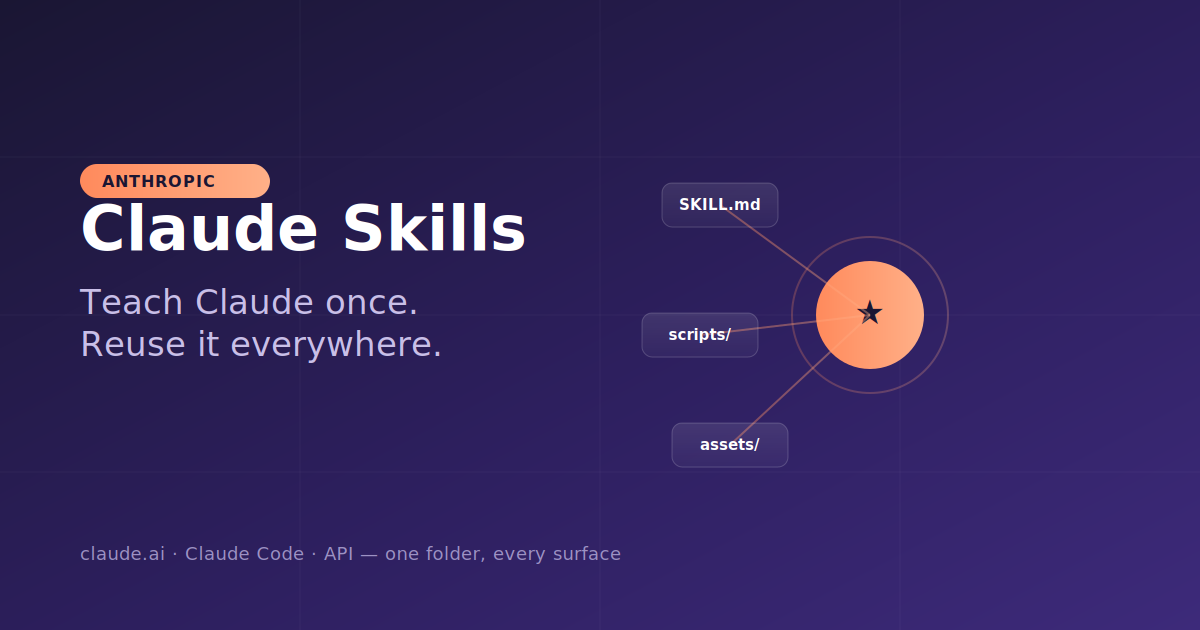
A skill is a folder. Inside it lives a single required file, SKILL.md, written in plain Markdown, plus optional supporting files like scripts, templates, and reference docs. That folder packages a repeatable task — instructions, the right order of steps, the output format, and what "done" looks like — so Claude can pick it up and run it the same way every time.
Anthropic frames building a skill as writing an onboarding guide for a new hire: you document the procedure once, and the agent follows it without you standing over it. The format is also an open standard published at agentskills.io, so a skill you author isn't locked to one product.
There are two flavors:
- Pre-built skills maintained by Anthropic—enhanced document creation for Excel, Word, PowerPoint, and PDF. These are available to all paid users, and Claude invokes them automatically when relevant.
- Custom skills that you or your organization create for specialized, domain-specific workflows.
How Skills Actually Work: Progressive Disclosure
The clever part is how Skills avoid bloating Claude's context window. They use a three-level system Anthropic calls progressive disclosure:
- YAML frontmatter (always loaded): A small metadata block — roughly 100 tokens per Skill — containing the name and description. Claude scans this at the start of a session to decide whether the Skill is even relevant.
- The
SKILL.mdbody (loaded on demand): The full instructions, step-by-step workflow, and examples. Only loaded once Claude decides the Skill applies to your request. - Referenced files (loaded as needed): Long API references, detailed style specs, scripts, or templates that Claude reaches for only when the task actually requires them.
The practical effect: you can keep a whole stack of Skills installed without clogging Claude's working memory. Claude loads only what the moment requires, no manual selection needed.
Skills vs. Prompts vs. MCP vs. Projects
A common point of confusion is how Skills relate to the other ways you customize Claude. The clean mental model:
- A prompt is live intent for one task — a one-off message that doesn't persist.
- A Skill is the persistent method — the reusable procedure that stops your results from drifting.
- MCP (Model Context Protocol) provides access — it connects Claude to external services and data.
- Projects provide static background knowledge that's always loaded for chats inside them.
They aren't competitors. The neat summary: Skills hold the procedure, tools take the actions, and MCP provides the access. You combine them — MCP gives Claude the connection to, say, your error-monitoring service, while a Skill teaches Claude exactly how to use it.
The Most Valuable Type of Skill (According to Anthropic)
Anthropic runs hundreds of Skills internally and has catalogued them into nine categories spanning an entire software workflow. Out of all of them, the company singles out verification Skills as having the most measurable impact on output quality.
The reason is a specific failure mode: an agent can appear to finish a task, and the last step — actually confirming the result — is exactly where work tends to break down. Anthropic suggests it can be worth having an engineer spend a full week making verification Skills excellent, using techniques like having Claude record a video of its testing and adding programmatic assertions that confirm state rather than assuming it's "close enough."
How to Create Your First Skill
The barrier to entry is genuinely low — for simple Skills, no code required. A minimal SKILL.md looks like this:
markdown
---
name: internal-comms
description: Resources to help write internal communications in my
  company's preferred formats. Use whenever asked to write status
  reports, leadership updates, newsletters, FAQs, or incident reports.
---

# Internal Comms

## Instructions
[Clear, step-by-step guidance for Claude to follow]

## Examples
[Concrete examples of using this Skill]
A few rules that trip people up:
- The description field is written for the model, not for humans. Because Claude scans every Skill's description to decide what applies, this field is effectively a trigger specification. It must state both what the Skill does and when to use it, and stay under 1,024 characters. Missing trigger conditions are the number-one reason Skills silently fail to load.
- Keep
SKILL.mdas a signpost, not a catch-all. When it gets unwieldy, split detail into separate reference files and point to them. This keeps token usage lean. - Don't railroad the model. Supply the key rules but leave room to adapt, or the Skill will stall the first time it hits an unfamiliar situation.
A practical way to build one: as you work through a task with Claude, ask it to capture its successful approaches and common mistakes into a reusable Skill. If it goes off track, ask it to reflect on what went wrong. You'll discover what context Claude actually needs instead of guessing upfront. The skill-creator Skill can also generate a first draft for you.
Where Skills Run
The single biggest payoff: write once, run everywhere. The same SKILL.md format works identically across Claude.ai, Claude Code, and the API — plus Claude Platform on AWS and Microsoft Foundry — with no modification per platform. Drop a Skill into a Claude Code project and it applies every time you work in that repo.
For organizations, Team and Enterprise plan owners can provision Skills across all users, so approved workflows and best practices stay consistent and new team members get expert-level results from day one. Partners like Notion, Figma, Atlassian, Box, and Canva already publish Skills in the directory, designed to work alongside their MCP connectors.
A Note on Trust and Safety
Because Skills can include executable code, a malicious Skill could introduce vulnerabilities or direct Claude toward unintended actions. The guidance is straightforward: install Skills only from trusted sources — ones you authored or got from Anthropic. When using a Skill from a less-trusted source, audit it first: read the bundled files, paying close attention to code dependencies and scripts.
The Bottom Line
Claude Skills solve a specific, real problem: the know-how gap. Instead of re-explaining your procedures every session, you consolidate the practices you've already validated — the easy-to-miss details, the common scripts, the fixed steps — into a folder Claude can load on demand. A prompt is fine for a one-off. But the moment you find yourself typing the same instructions for the tenth time, that's a Skill waiting to be written.
To explore available Skills, click "Customize" in your Claude account and navigate to "Skills." Custom Skills require a Pro, Max, Team, or Enterprise plan with code execution enabled.