getNodi: Six Nights Green, and the Report Was Empty for Every One of Them
Here is a real shape of failure that no monitoring tool on your stack will catch.
A nightly job fires at 02:00. Every night for six nights it returns HTTP 200 in about 1.1 seconds. Six green rows. A perfect week.
The report it generated was empty all six times.
The job ran. The request succeeded. Nothing ever looked at what came back. That is the gap between a scheduled task executed and the thing you wanted actually happening, and it is the gap getNodi was built to close.
What is getNodi.in?
getNodi is a hosted cron service. You give it a URL, a schedule, and a definition of what success means. It calls the endpoint on time, retries when a call fails, and keeps the status, latency, and response body of every single attempt.
There is nothing to install. No agent, no SDK, no daemon sitting on a box you have to keep patched. If your code can answer an HTTP request, it can be scheduled — a serverless function, a webhook, a route in your app.
The name is நொடி—the Tamil word for a second—and for the snap of a finger. Roughly how long a scheduled job should take to tell you it worked.
Success is whatever you say it is
This is the feature that matters most and the one almost nothing else offers.
On most schedulers, a 200 is a pass. Full stop. Which means the six-green-nights scenario above sails through undetected forever.
On getNodi, success criteria are set per job. You can match on status classes, require that the response body contains specific text or matches a regex, and set a latency budget that fails the run if it is exceeded. An endpoint that returns an empty 200 in under a second can be marked a failure — which is exactly the failure cron itself never notices.
That single setting turns a scheduler into something that actually verifies work.
What else is in the box
Any endpoint, any auth. All seven HTTP methods, custom headers, JSON bodies. Basic, bearer, API-key or HMAC-signed requests. Credentials are encrypted at rest with AES-256-GCM and never rendered back to you once saved.
Retries that make sense. Per-job attempt counts with fixed or exponential backoff. Alerts fire only once the retry budget is spent — so a job that recovers on its own never wakes anyone at 3am.
Every run, kept. Status, latency, response headers and a body snippet for each attempt, with hourly rollups so a 90-day chart still draws instantly. When something breaks, the evidence is already there.
Projects, not a flat list. Group schedules by product, environment or client. Members, alert channels, API keys and retention are configured per project — which is what you need the moment you are running jobs on behalf of more than one thing.
Alerts and an API. Email, Slack and webhook notifications on failure, recovery or auto-pause. Scoped API keys for managing jobs programmatically.
It is just an HTTP request.
POST /webhooks/nightly-report HTTP/1.1
Host: api.yourapp.com
User-Agent: getNodi/1.0
X-Nodi-Job-Id: 6f2a91c4e8b7d3a05f1c2e94
X-Nodi-Run-Id: 01JDQ8ZK3M7XN2VW5RT9YB
X-Nodi-Attempt: 1
X-Nodi-Signature: t=1771243800,v1=9c1f4a…
Content-Type: application/json
getNodi identifies itself on every call and can sign the body with an HMAC shared secret, so your endpoint can prove the request came from your schedule and not from someone who guessed the URL.
On the outbound side, private, loopback, and cloud-metadata addresses are refused by default. A scheduler that will call anything is a server-side request forgery engine pointed at your own network, and it should not be sold as a feature.
The comparison table that includes the rows we lose
Most product pages compare themselves to competitors and win every row. getNodi's does not, and that is deliberate — the pricing page names three alternatives and states plainly where each one is the better choice:
cron-job.org is free, unlimited, minute-level, open source, and has been running for over fifteen years. For a lot of simple jobs with email alerts, it beats getNodi's free tier, and probably its paid ones too.
Vercel Cron is four lines of vercel.json if the thing you want to run is already a route in an app you deploy there. No new vendor, no new bill, no new password. Hard to beat—until you need a timezone, a retry, or an alert, none of which it does.
EasyCron allows a single request to run for twelve to twenty-four hours on paid plans. getNodi cuts every request off at five minutes. If your job is a genuinely long-running task rather than a trigger, getNodi is the wrong tool and says so.
Where getNodi does win: timezone per schedule, all seven HTTP methods, HMAC signing, automatic retries with backoff, success criteria beyond status codes, and email plus Slack plus webhook alerts on every tier including free. The full table is on the homepage, read off each vendor's own documentation, with the sources linked.
Publishing the rows you lose is an unusual move. It also means the rows you win are worth believing.
Pricing
All prices include 18% GST, billed through Razorpay. Outside India, billed in USD at $5 / $19 / $59 per month. Every plan — including Free — gets HMAC signing, custom success criteria, retries with backoff, the REST API, and Slack and webhook alerts.
All prices include 18% GST, billed through Razorpay. Outside India, billing is in USD at $5 / $19 / $59 per month.
The important part is what the tiers do not differ by. Every plan, including Free, gets HMAC signing, custom success criteria, automatic retries, custom headers and bodies, the REST API, Slack and webhook alerts, and unlimited manual runs. Plans differ by how many jobs you run, how often they run, and how long history is kept — not by which features you are allowed to use.
No card to start. No sales call.
Where it slots in
getNodi publishes setup guides for the platforms where scheduling is either missing or painful:
- WordPress — replacing
wp-cron, which only fires when someone visits the site, and therefore does not fire on a quiet site - Vercel — when you need timezones, retries or alerts
- Supabase, Netlify, Railway, Render, Cloudflare Workers
- Laravel, Django, n8n
There are also job templates and a set of free tools that need no account at all.
Try the awkward test.
Pick your most important scheduled job. The backup trigger, the invoice sweep, the sitemap ping, and the nightly sync your reporting depends on.
Now answer two questions. If it stopped running tonight, how long until a human noticed? And if it kept running but started returning nothing, would you ever find out?
If either answer makes you uncomfortable, the free tier covers three jobs on hourly schedules with the full feature set, forever, without a card.
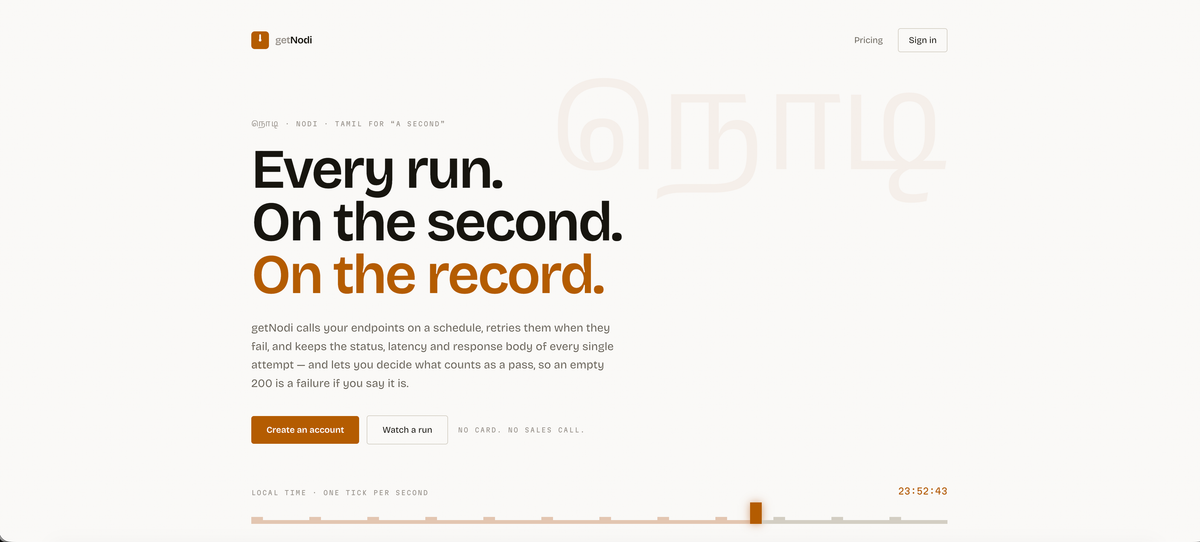
Every run. On the second. On the record.